Udhaar written in a register gets lost, disputed or forgotten.
Digital khata for every customer — balance, history and a one-tap WhatsApp reminder.
Made for Pakistani shops · Works without internet
Billing, udhaar khata, stock, expiry and FBR — in one fast app for kiryana stores, marts and pharmacies. In Urdu or English. Keeps working when the internet or light goes.
Windows 10/11 · No card needed · Your data stays on your PC
Sound familiar?
Built after watching how real counters in Pakistan work — the rush hour, the udhaar register, the expired strips at the back of the shelf.
Udhaar written in a register gets lost, disputed or forgotten.
Digital khata for every customer — balance, history and a one-tap WhatsApp reminder.
Medicines expire on the shelf and the loss shows up months later.
Batch & expiry on every strip. Oldest stock sells first; expired stock is blocked at the counter.
Cash in the drawer never matches the sales.
Open and close the register with a count. Every sale, refund and expense is on the day-end report.
Load-shedding or no internet stops the billing.
Everything runs on your PC. No internet needed to sell; automatic daily backups.
Customers argue over the total.
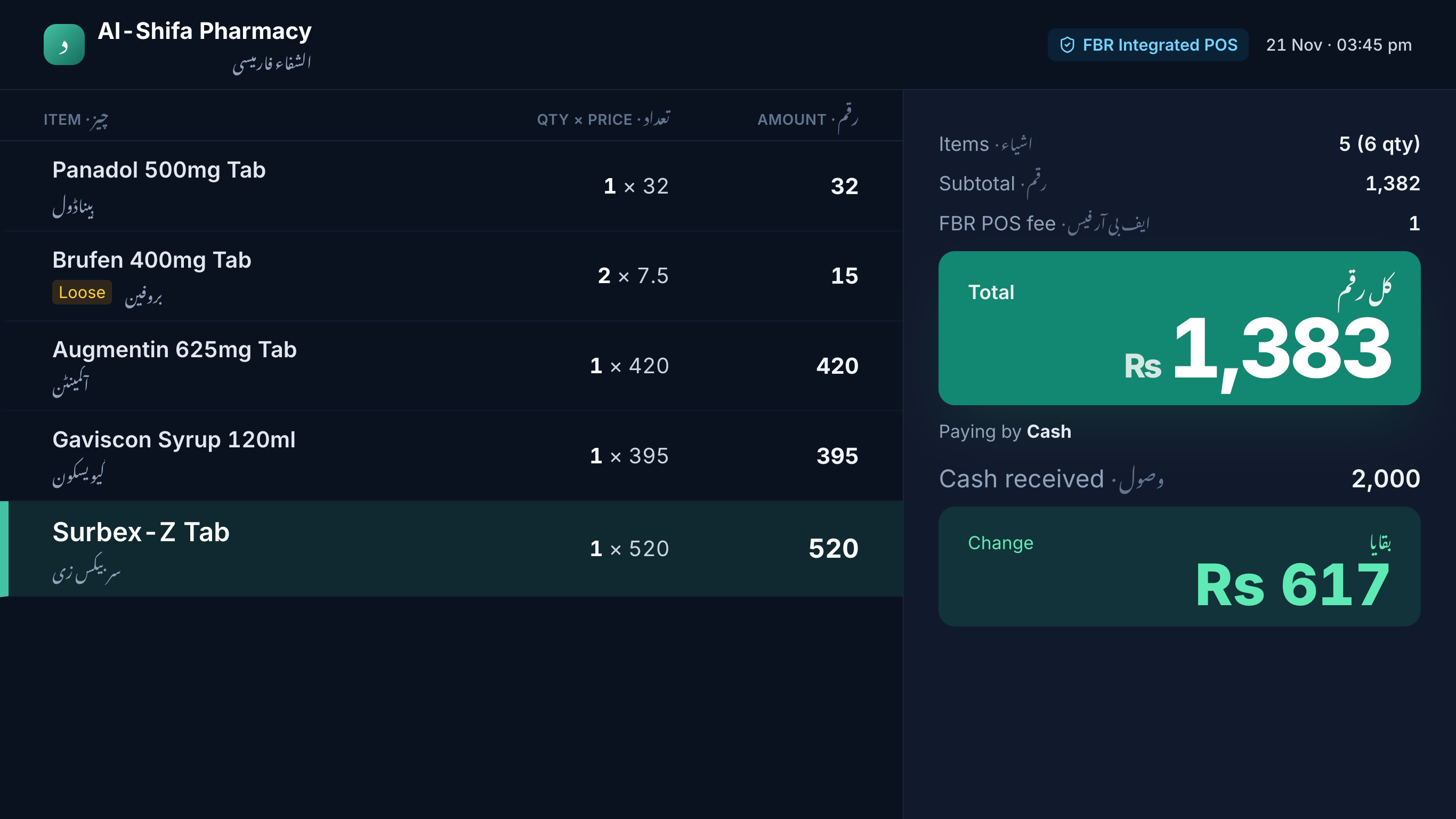
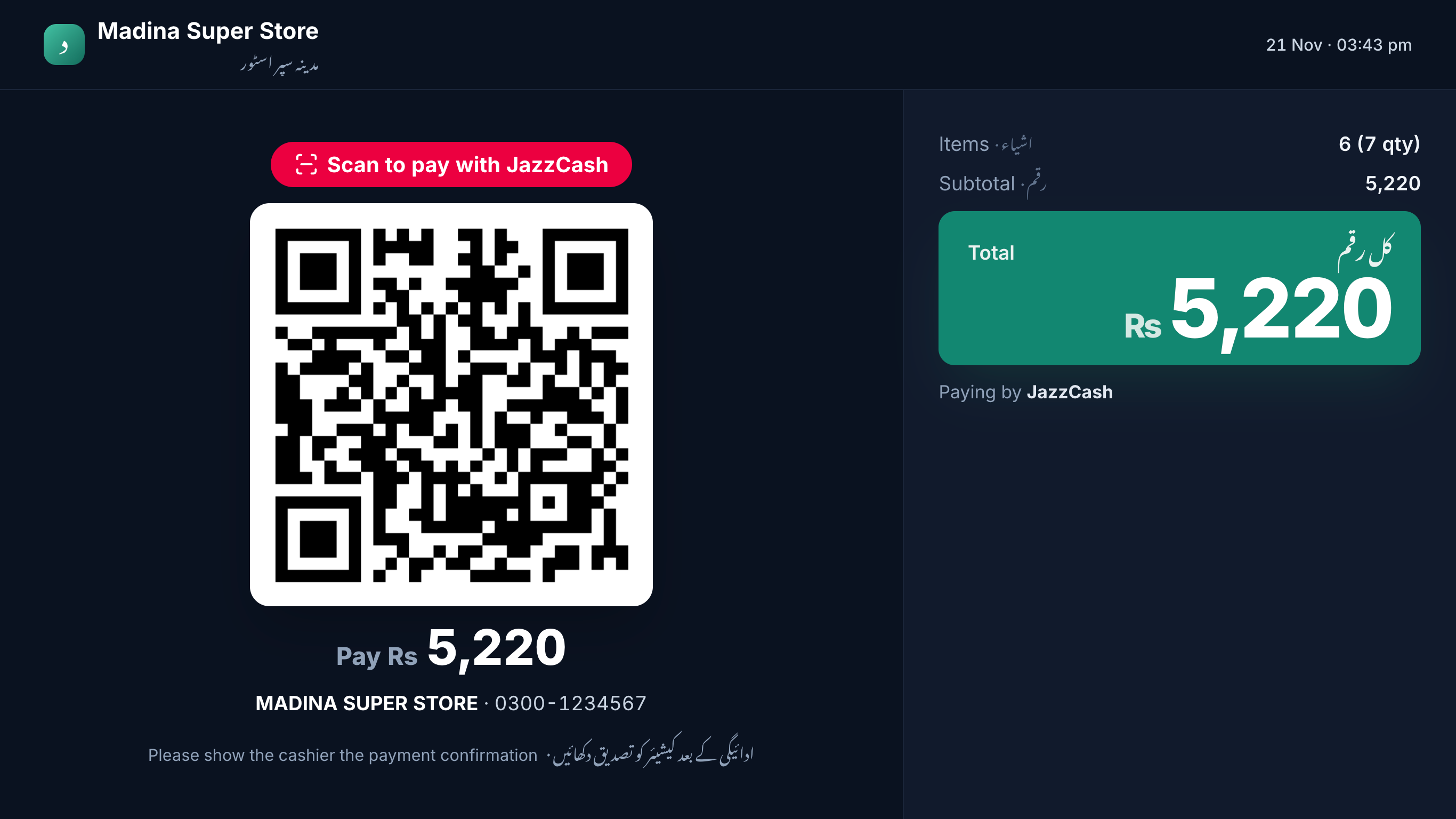
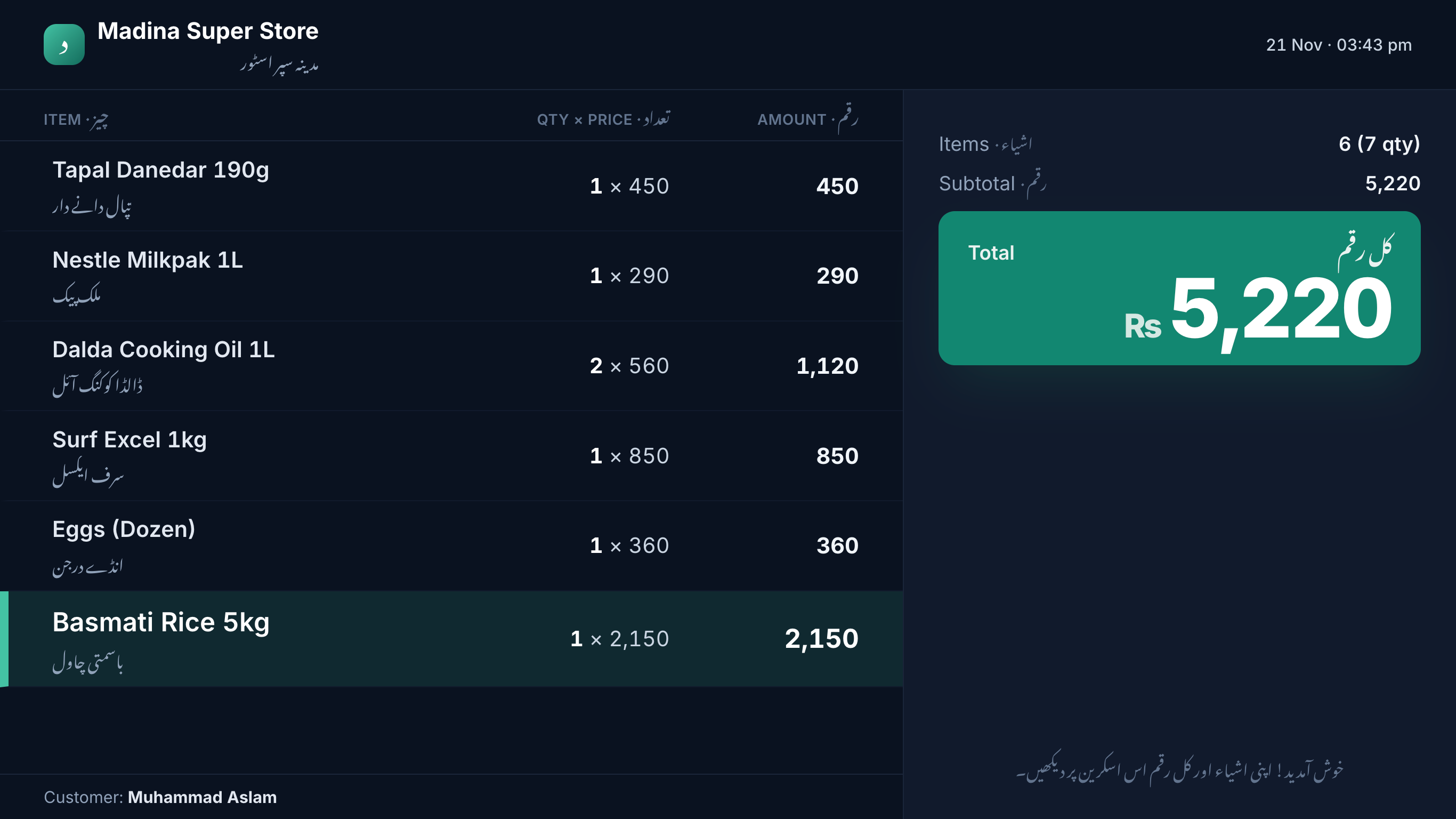
A second screen shows them every item, the total and their change — in Urdu and English.
FBR integration sounds complicated and expensive.
FBR POS integration is built in: invoice number and QR printed on the receipt, queued when offline.
What you get
One app on your Windows PC. Set up in an afternoon.
Fast billing
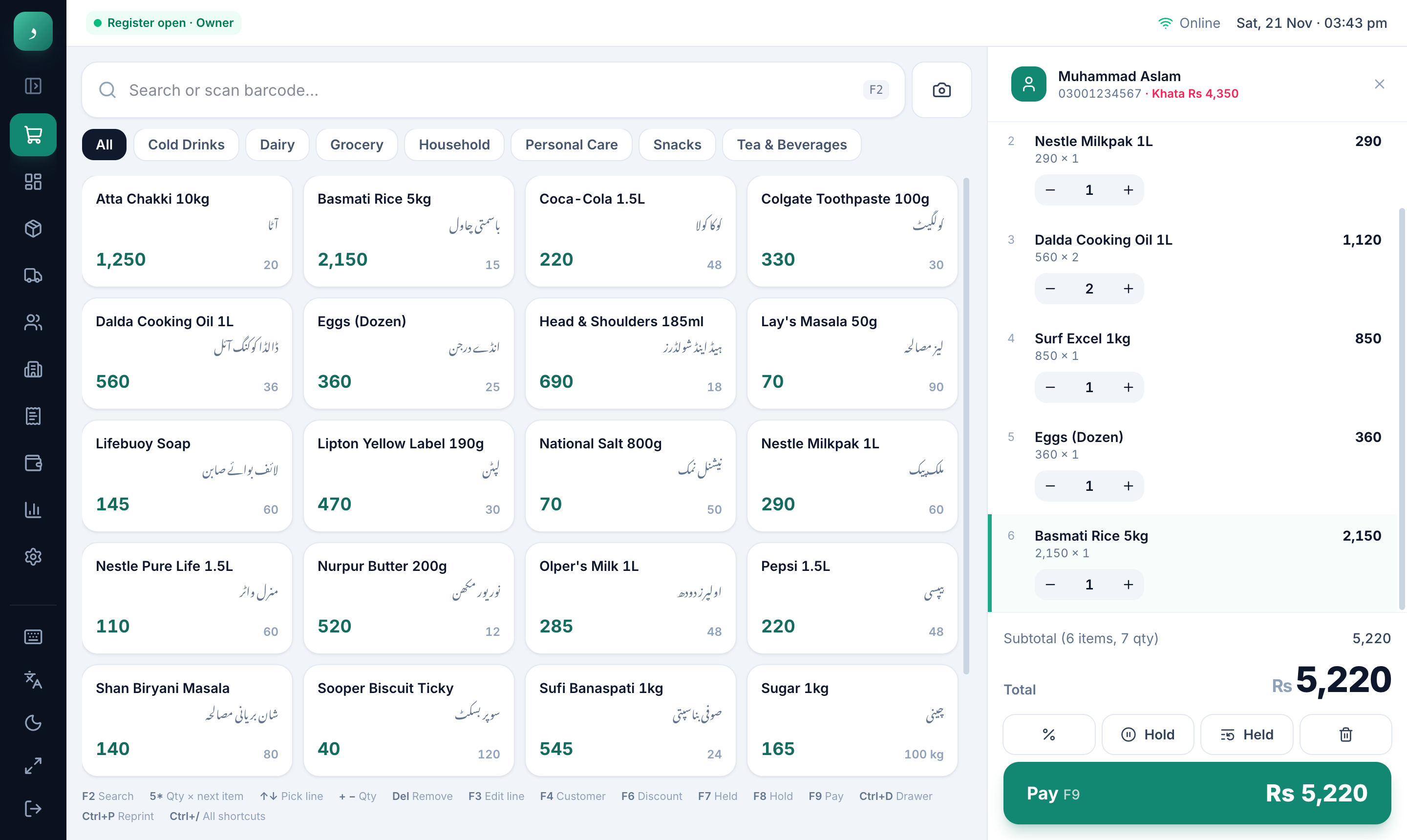
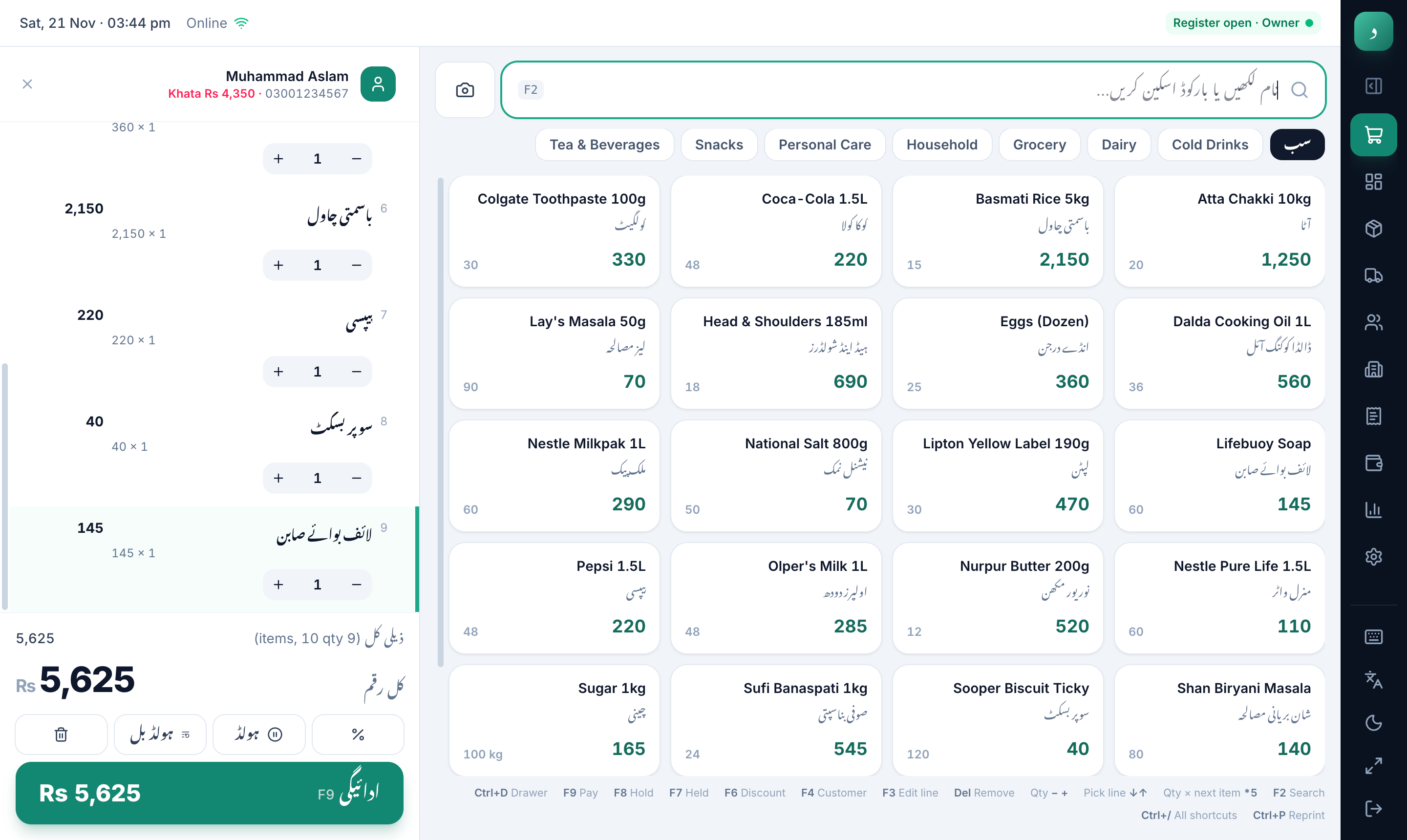
Scan with any USB barcode scanner (or your webcam), search in English or Urdu, and pay with one key. Cashiers never need the mouse.
Udhaar khata
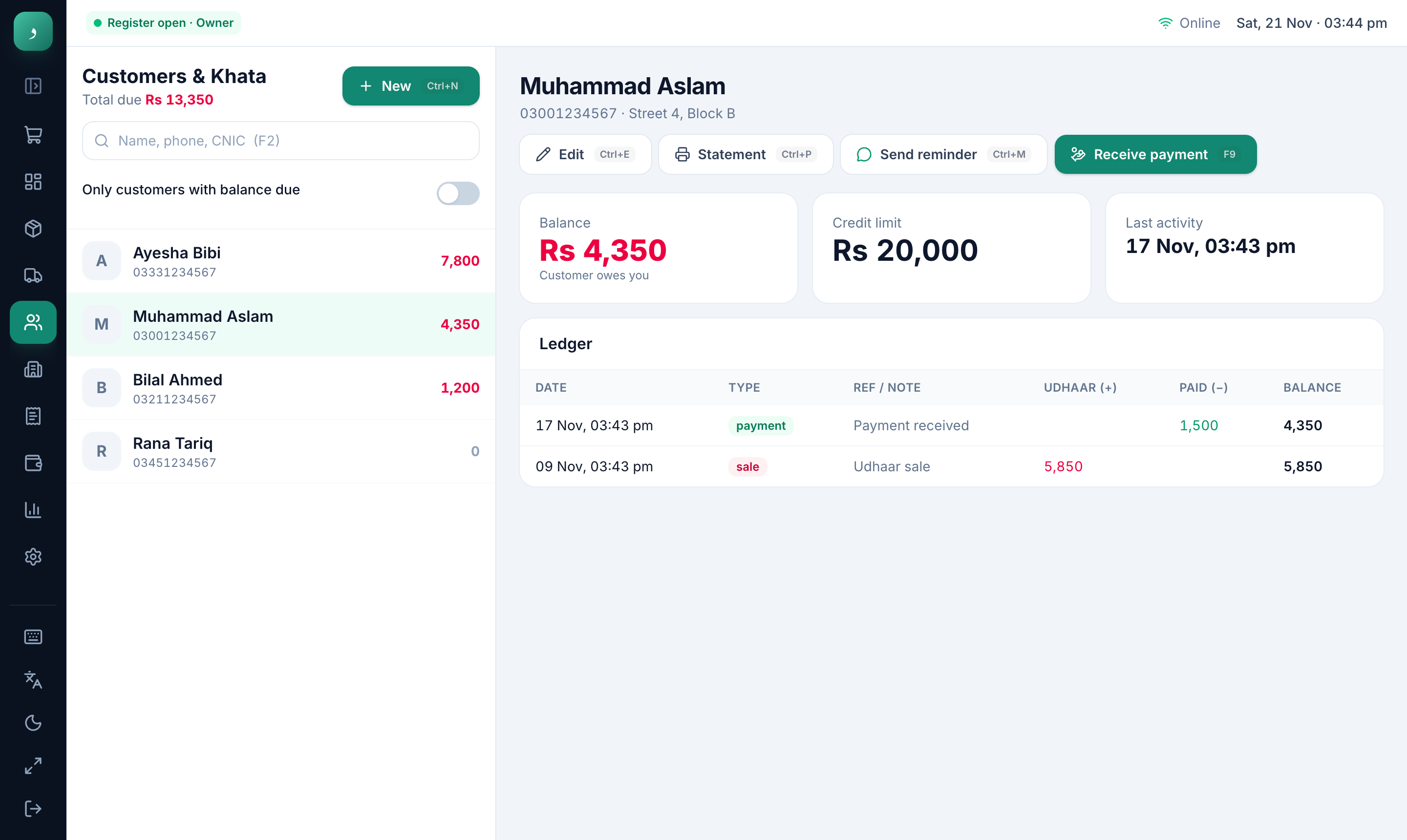
Every credit sale lands in the customer’s khata automatically. See who owes what, take payments, print a statement or send a polite reminder on WhatsApp.
For pharmacies
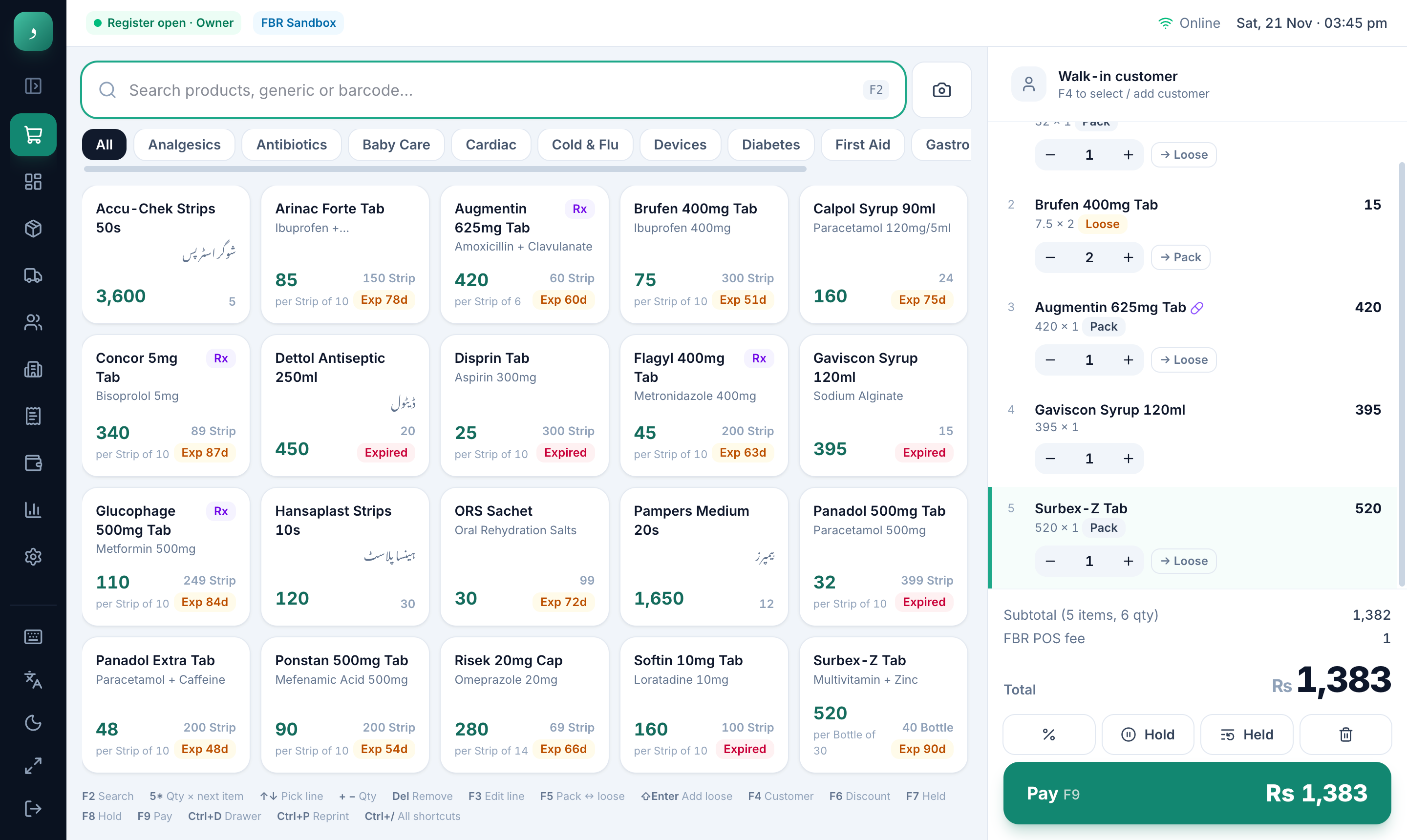
Sell a full strip or loose tablets. Every purchase records batch and expiry; the oldest stock goes first and expired medicine can’t be sold by mistake.
Know your numbers
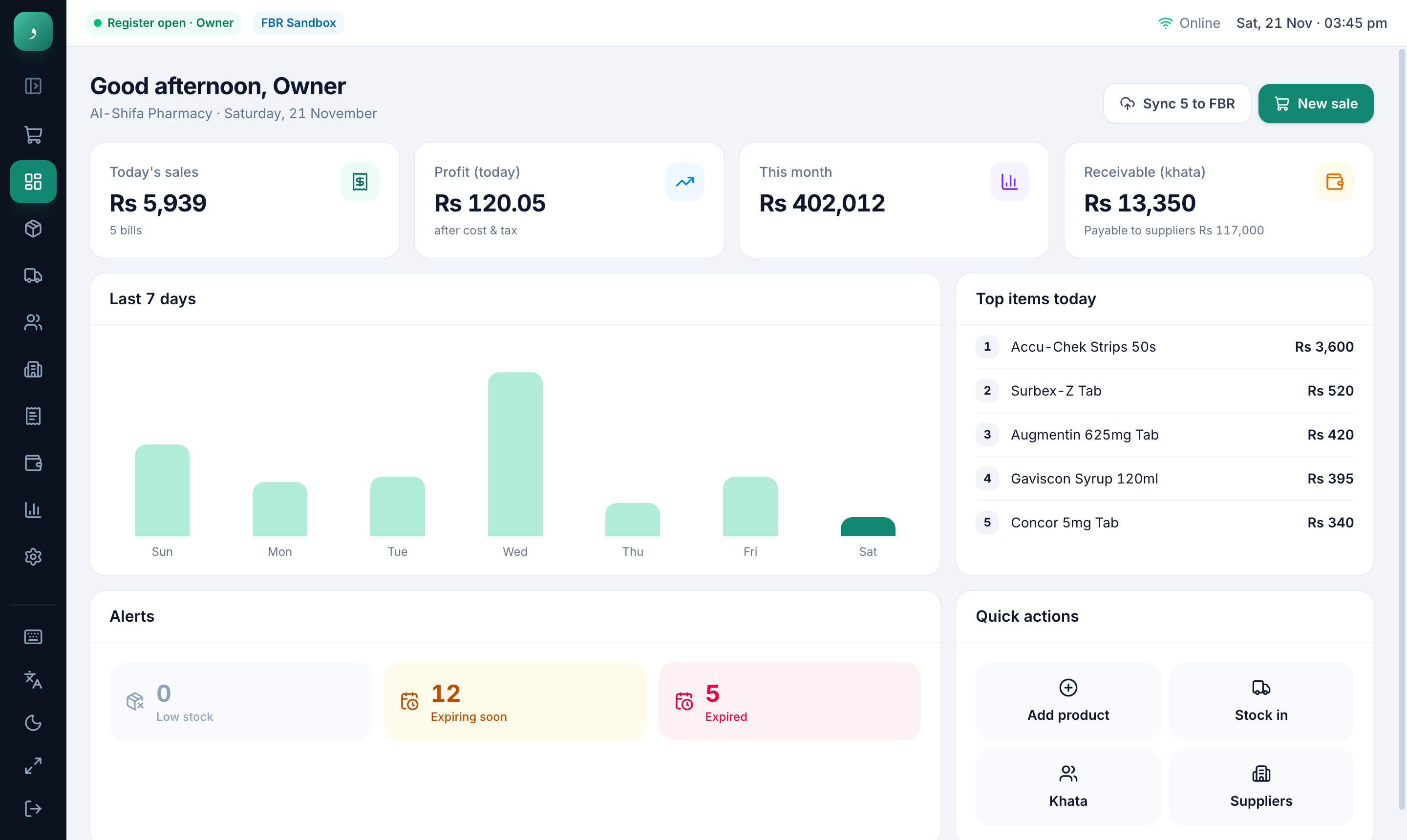
The dashboard shows sales, profit after cost, khata receivable, low stock and expiring items the moment you open the app.
Customer screen
Turn a second monitor towards the counter. Customers watch each item appear as it’s scanned, see the total and their change in big numbers — and scan your JazzCash, Easypaisa or Raast QR to pay. Between customers it shows your offers.
اردو بھی
Switch the whole app to Urdu with one click: menus, receipts and product names, laid out right-to-left the proper way. Staff use whichever they’re comfortable with.
Any Windows 10/11 PC. Everything below is optional.
58 or 80 mm receipts, Urdu supported
Opens automatically on cash sales
Any USB/Bluetooth scanner — plug in and scan
No scanner? Scan barcodes with the camera
Customer display with your payment QR
Full screen, no taskbar — like a real till
Security & your data
Dukaan POS runs on your own PC. Your sales, customers and khata are never uploaded to us.
Sales, stock and khata live on your computer, not in someone else’s cloud.
A backup every day (30 kept), plus one-click backup to USB or Google Drive.
Owner, manager and cashier PINs. Cashiers can’t change prices or settings.
Even if a subscription lapses, your reports, khata and backups stay available.
Install on your Windows PC in two minutes.
Every feature unlocked. Load your products or start with demo data.
Pay monthly or yearly by JazzCash, Easypaisa or bank. Keep all your data.
Pricing
Plans from
Rs 1,500/ month
30 days free. Every feature. No card needed.
Retail and pharmacy plans, Basic and Pro, monthly or yearly (yearly saves more). Every plan includes:
Pro adds FBR POS, customer screen, offer slides, payment QR and unlimited users.
Yes. Billing, khata, stock and reports all work offline. The app needs internet once to activate, then checks in with us when it can (at least once a week) to keep your licence active.
Every sale is saved the moment it completes, and the app keeps a daily automatic backup. When the PC comes back, you carry on from where you were.
Any Windows 10 or 11 PC or laptop (64-bit). 4 GB RAM is enough; 8 GB is comfortable.
Almost certainly. Any thermal receipt printer installed in Windows and any USB/Bluetooth barcode scanner work. Cash drawers connected to the printer open automatically.
Yes — the whole app, receipts and the customer screen can be in Urdu (right-to-left), and you can switch between Urdu and English any time.
Yes. FBR POS integration is built in for Tier-1 retailers: each invoice is reported, and the FBR invoice number and QR code are printed on the receipt. If the internet is down, invoices are queued and sent later.
On your own PC. Your sales, customers and khata are not uploaded to us. Our server only knows your shop name, plan and licence status.
Choose a plan and pay monthly or yearly. If you don’t, the app becomes read-only — you can still see your reports and khata and take backups, but new sales pause until you subscribe.
Yes. Move your licence to a new PC yourself from Settings (twice a year), and restore your data from a backup.
One licence per PC. Basic plans include 2 users (e.g. owner + cashier); Pro plans have unlimited users, each with their own PIN.
Leave your number and we’ll call or WhatsApp to set up a free demo for your shop.
30 days free. Every feature. No card needed.